Features / Pick and pack
Barcode picking and packing, verified as you work.
Turn picking and packing into visible, controlled warehouse steps. StoreFulfil guides staff through remaining order quantities, item verification and final packing so each handoff is easier to follow.
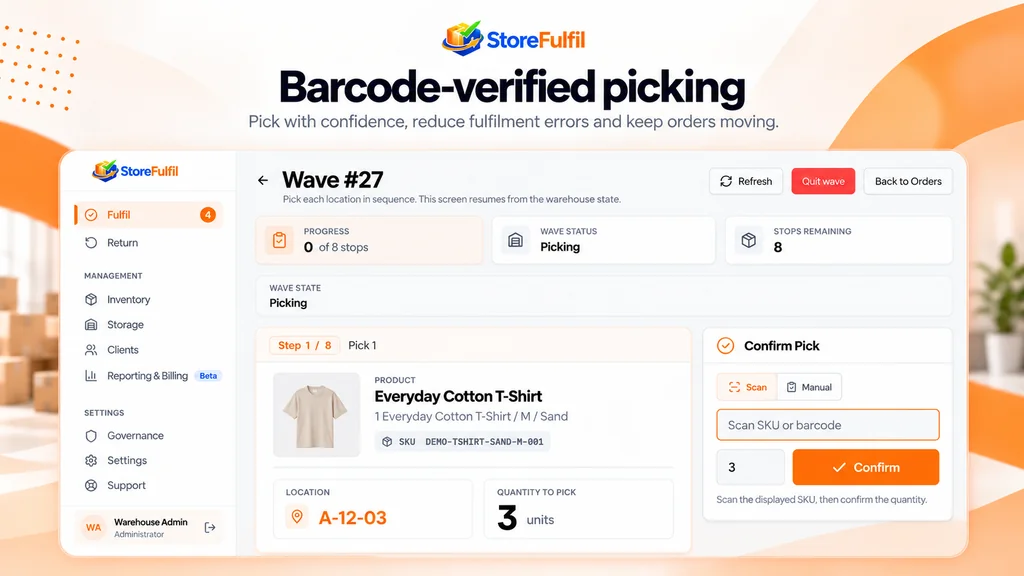
Verification in the flow
Verification happens inside the workflow, not after it.
Staff see the products and quantities that remain to be picked, with the product and SKU context needed to identify the exact item.
Supported item identities are confirmed using scanner input and configured barcode data. Where scanning is impractical, a deliberate manual check is available.
- Remaining quantities for each order
- Registered barcode verification
- Controlled manual verification
- Separate pick and pack quantities
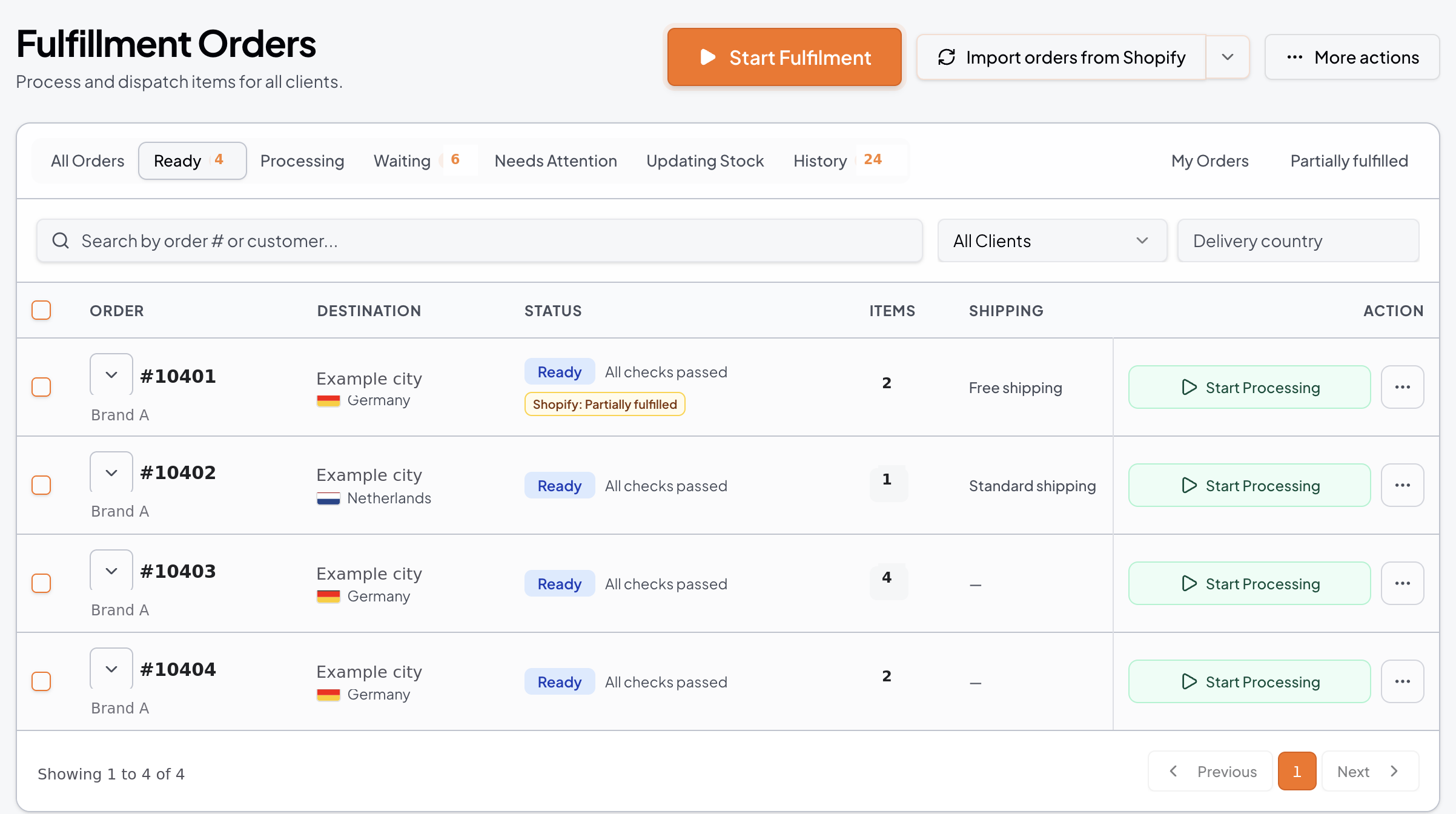
Workflow
Pick, pack, hand off
Open the order
Start from the ready queue with remaining quantities shown.
Scan each item
Confirm the item against the registered barcode, or use the controlled manual check.
Confirm quantities
Record verified picked quantities, with short picks captured as exceptions.
Pack and dispatch
Carry picked work into a distinct packing step, then into shipping and fulfilment confirmation.
Capabilities
Pick and pack capabilities
Item identity, barcode data and exceptions handled together.
Guided single-order picking
Present the products and quantities that remain to be picked.
Product and SKU context
Identify the exact item required as staff work through an order.
Registered barcode verification
Confirm supported item identities using scanner input and configured barcode data.
Barcode coverage reporting
Identify catalogue items that need registered barcode information.
Barcode data outreach
Request and acknowledge missing product barcode details from the relevant client.
Controlled manual verification
Complete a deliberate manual check when scanning is not practical.
Pick quantity confirmation
Record verified picked quantities.
Separate packing quantities
Carry picked work into a distinct packing step.
Short-pick recording
Capture unavailable quantities without treating missing goods as completed.
Connected dispatch handoff
Progress packed work into supported shipping and fulfilment confirmation.
Buyer questions
What buyers ask about this
What if a product has no registered barcode?
Barcode coverage reporting identifies catalogue items that need barcode information, and the warehouse can request the missing details from the client. A controlled manual check is available meanwhile.
Are pick and pack quantities tracked separately?
Yes. Picked work carries into a distinct packing step with its own quantities.
What happens to goods that are not available?
Unavailable quantities are recorded as short picks or exceptions and are not treated as completed work.
Can I run this from a mobile device?
Supported workflows are available from an appropriate mobile browser or compatible device.
Related features
Keep exploring
Wave picking
Consolidated picking stops with scan confirmation and order-by-order packing.
Shipping and dispatch
Carrier accounts, parcel presets, labels and tracking confirmation.
Order management
Ready, Processing, Waiting and Needs Attention queues with ownership.
Training and support
Isolated practice workflows, Library guides and in-app support.
In the Library
Operating guides for this workflow
See verified picking and packing on your own SKUs.
Tell us about your clients, channels and warehouse workflow. We will show the relevant workflow and scope any sales channel or carrier integration with you.
Book a Demo