Solutions · Multi-client fulfilment
Multi-client warehouse management, without the workarounds.
Multi-client is not a feature bolted onto StoreFulfil, it is the core design. Client data stays isolated, and your team works one shared warehouse workflow across the operation. We integrate your sales channels to scope, with Shopify the most detailed connection.
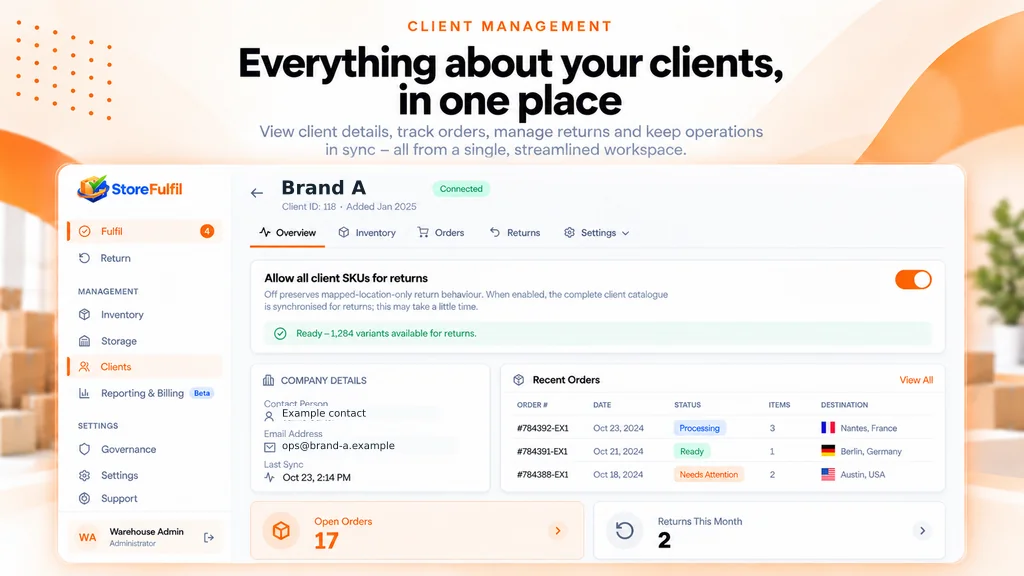
What multi-client means here
Isolation where it matters, sharing where it helps.
Separate client operations
Each client operation and its access remain distinct within the shared warehouse workflow.
Isolated client data
Orders, inventory and returns are separated per client at the platform level, including the brand-user logins each client uses to view their own operation.
Shared warehouse workflow
Your staff work one queue across clients, pick, pack, dispatch and receive returns, without switching systems or logins.
Scaling
Adding a client is routine, not a project.
Onboarding a new client means defining its workflow, access and connection scope. The client joins the shared warehouse workflow with separate data and its own brand-user view.
Team and client management
Every client and every user, organised
Client-specific settings and appropriate access for warehouse staff and brand users.
Client-specific fulfilment criteria
Apply a merchant's readiness rules within the warehouse workflow.
Client scanner settings
Configure scanning and barcode patterns by brand.
Return-catalogue settings
Control recognised return items and unexpected quantities by client.
Client lifecycle
Manage active connections while retaining operational history.
Staff invitations and roles
Named invitations with administrator, manager and worker access.
Warehouse branding and preferences
Warehouse identity in the app and reports, plus language, appearance, density and contrast settings.
Related features
Manage the commercial and access side
How many clients do you fulfil for?
Tell us about your client stores, locations and current workflow. We will review the fit with you.
Book a Demo