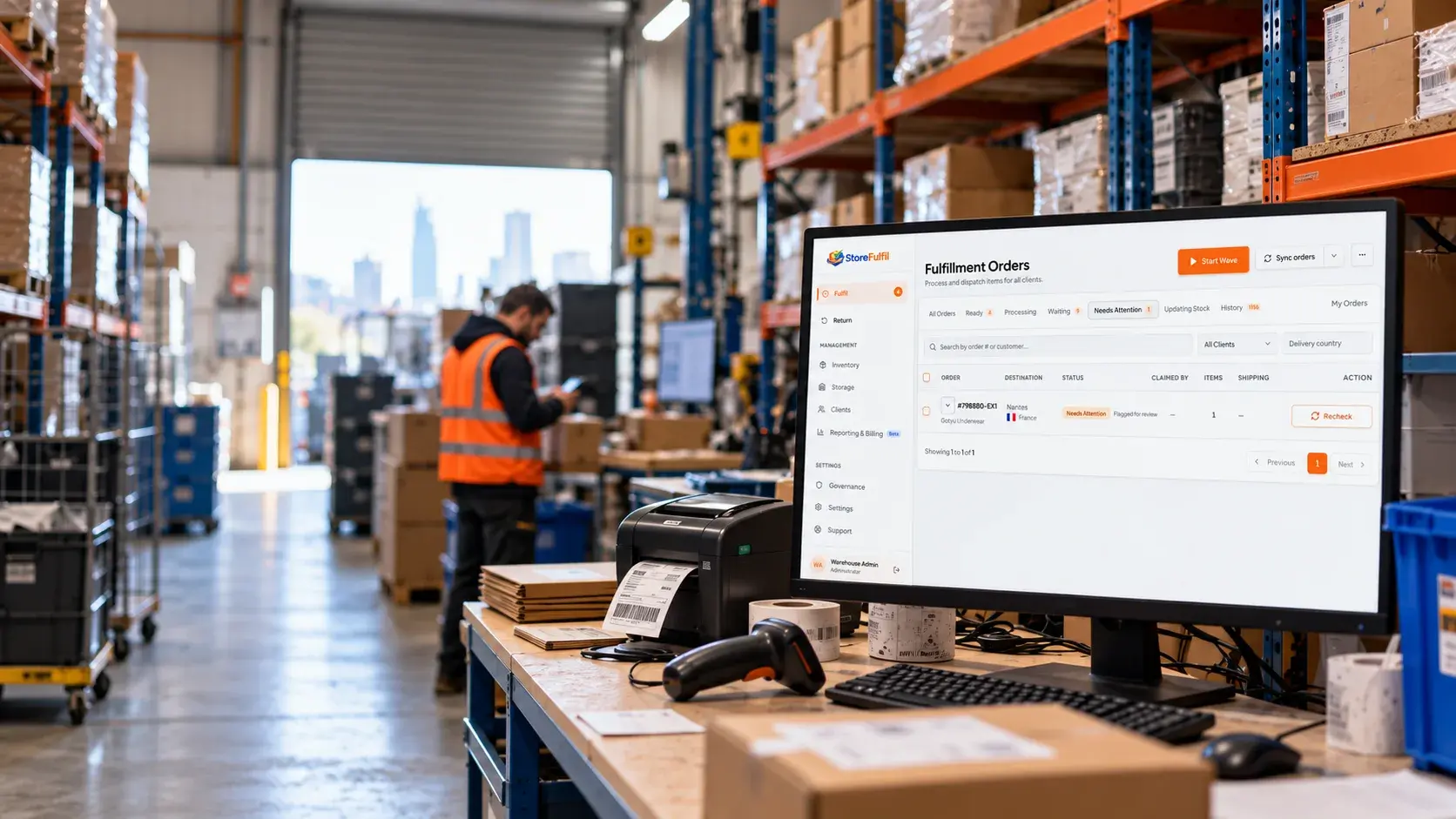
E-commerce-native warehouse management
StoreFulfil
The e-commerce-native WMS.
StoreFulfil is warehouse management software for 3PLs and e-commerce teams. Run inventory, barcode pick and pack, returns and client billing in one WMS, with deep Shopify integration.
Your warehouse management system
The workflows that decide whether a 3PL scales.
Five capabilities carry most of the daily load in a multi-client warehouse. Each one is a complete workflow, connected to the same queue, stock and client records.
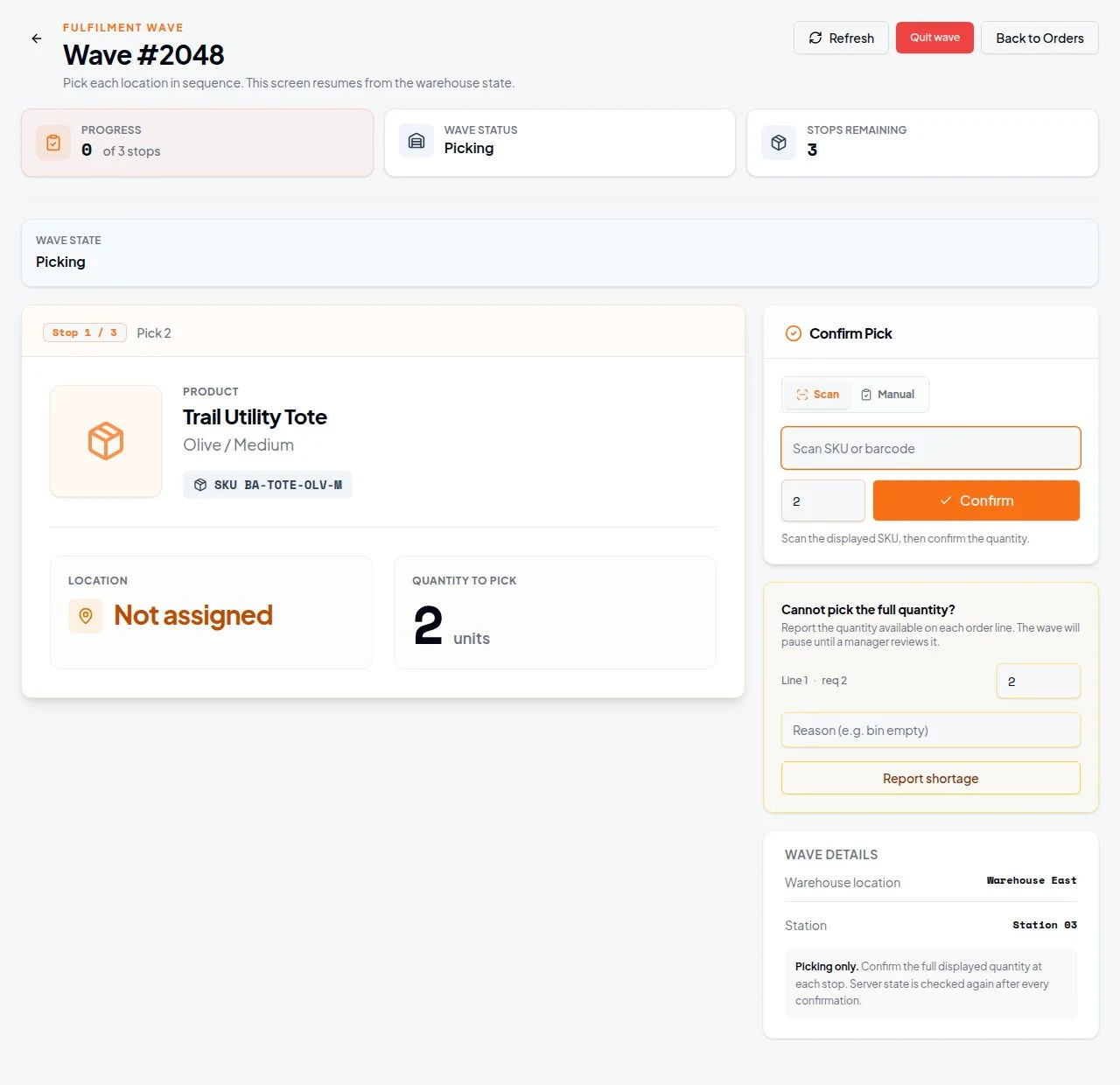
Wave picking
Batch eligible orders into sequential pick stops with product, SKU, quantity and location. Confirm by scan, report short picks and pack order by order.
Inventory and stocktakes
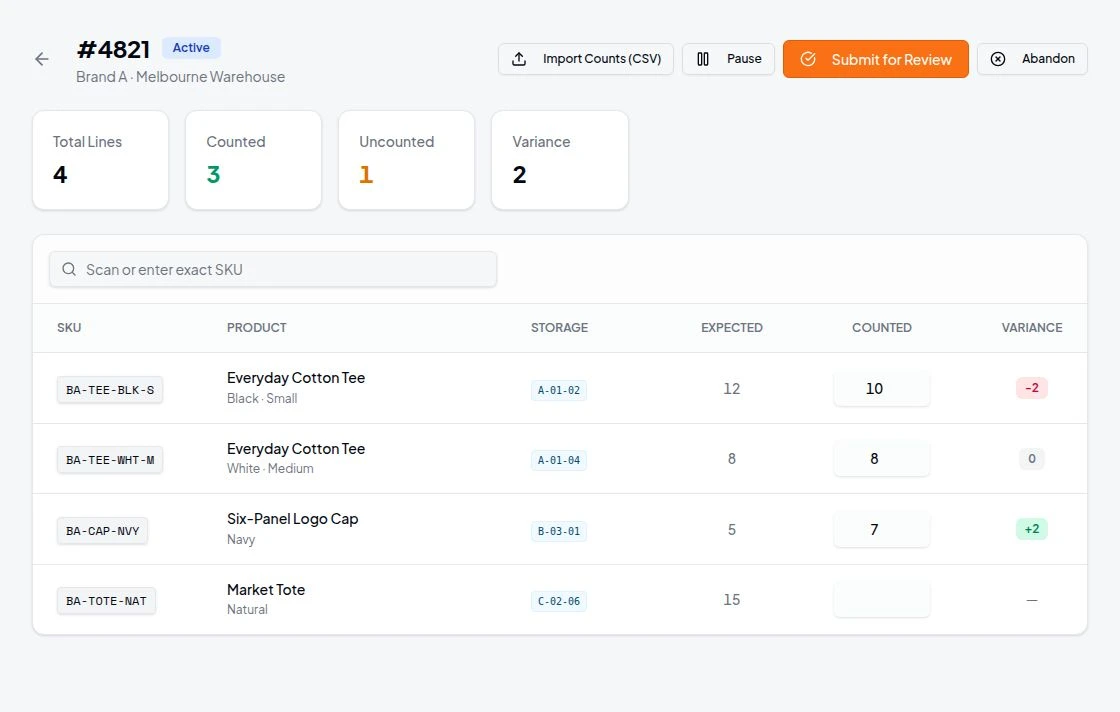
On hand, available and committed quantities with freshness, controlled corrections, pick bins and client-scoped counts.
SmartFunnel fulfilment routing
Policy-based movement of eligible work, checked against stock, source state and approved locations, with shadow evaluation before going live.
Automated 3PL client billing
Client rate cards turn recorded warehouse activity into reviewable billing previews, invoice drafts and PDF invoices.
Returns receiving and QC
Receive anonymous parcels, check each unit, record condition and restock eligible goods to the right location.
The problem
More clients shouldn’t mean more workarounds.
The work happens on one warehouse floor, even when orders and stock belong to different stores. StoreFulfil keeps the queue shared and each client’s records separate.
Which order goes where?
Orders reach the shared queue only when they belong to the warehouse, with the client identified and readiness checked.
Is that stock current?
Inventory shows its last-confirmed state by client, SKU and location; stale data and deficits are visible before staff act.
Whose return is this?
An unknown parcel can be received without guessing a client. Ownership is confirmed before items are scanned and graded.
Has it already shipped?
Holds, failed updates and uncertain operations need review. Fulfilments completed outside StoreFulfil are checked before another shipment is created.
Warehouse Workflows
Orders out. Returns in. All in hand.
One WMS for every client in your warehouse.
Warehouse staff use one workspace; brand users see only their own store. StoreFulfil keeps those access boundaries in place as more clients connect.
Orders and inventory from your connected sales channels flow into the workflow. Staff pick in waves or by order, pack, ship through configured carriers or record manual dispatch, and receive returns. Exceptions stay visible for review.
- Multi-client warehouse operations managed from one warehouse login
- Browser-based picklists and barcode pick and pack for warehouse stations
- Inventory views, guided stocktakes and controlled adjustments by client and location
- Physical return intake with ownership confirmation, item-level QC and evidence
- Brand users access only their own store's operational data
- Client rate cards, billing previews and PDF invoices tie recorded work to what you charge
- Exceptions and uncertain provider operations surfaced for review and recovery
Core capabilities
From barcode picking to confirmed dispatch.
Orders arrive, barcode-verified warehouse work gets recorded, and connected commerce systems receive updates after confirmed actions.
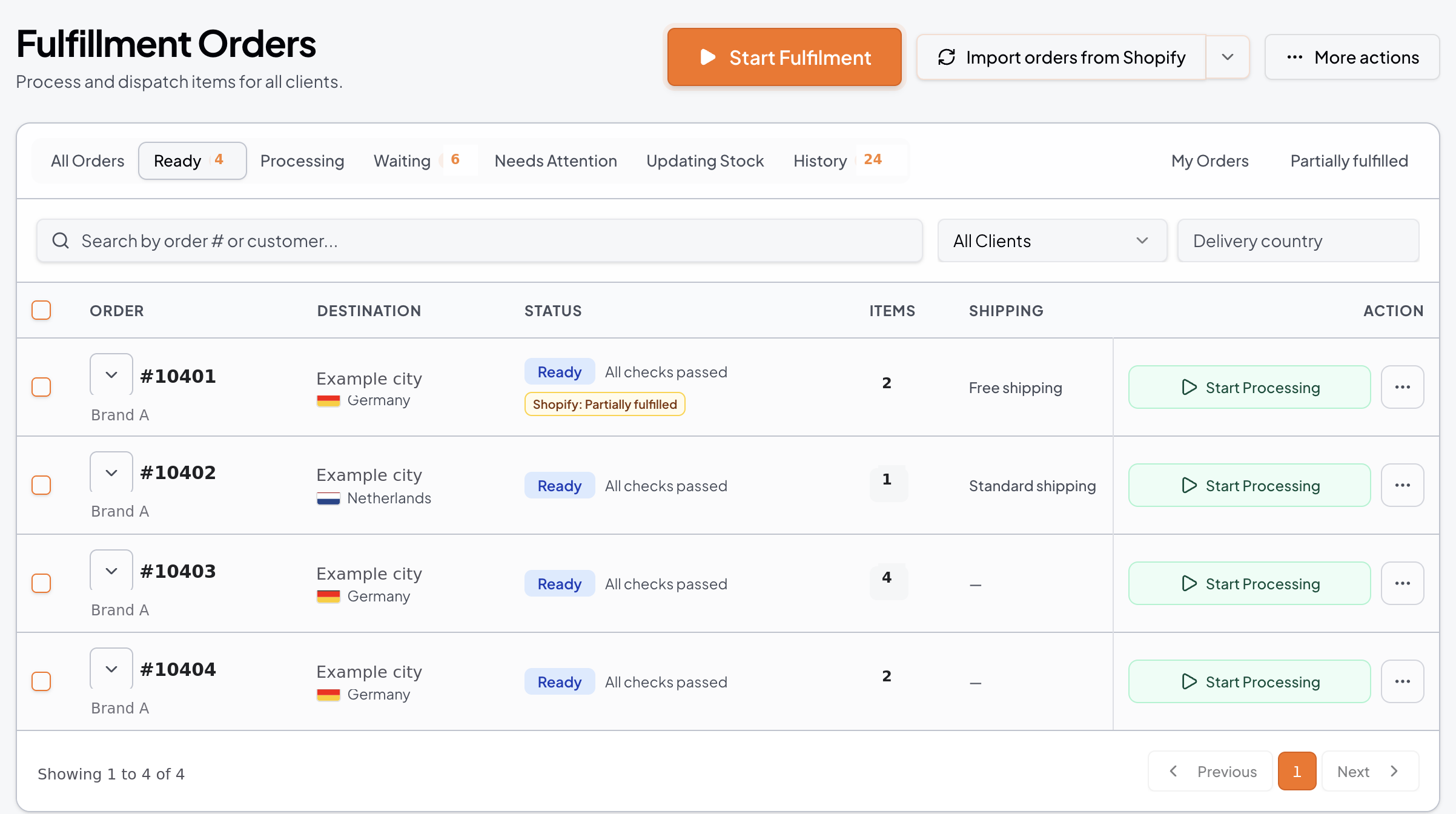
Orders
Route orders in. Confirm fulfilment back.
Orders assigned to the warehouse arrive in StoreFulfil from your connected sales channels without a manual export. Staff work from pick lists, waves and barcode pick and pack, then dispatch through a configured carrier or manual workflow. Confirmed fulfilment and tracking are sent back to the connected sales channel.
- Order routing by mapped warehouse location
- Printable picklists and barcode-verified pick and pack
- Holds, mismatches and failed updates surfaced for review
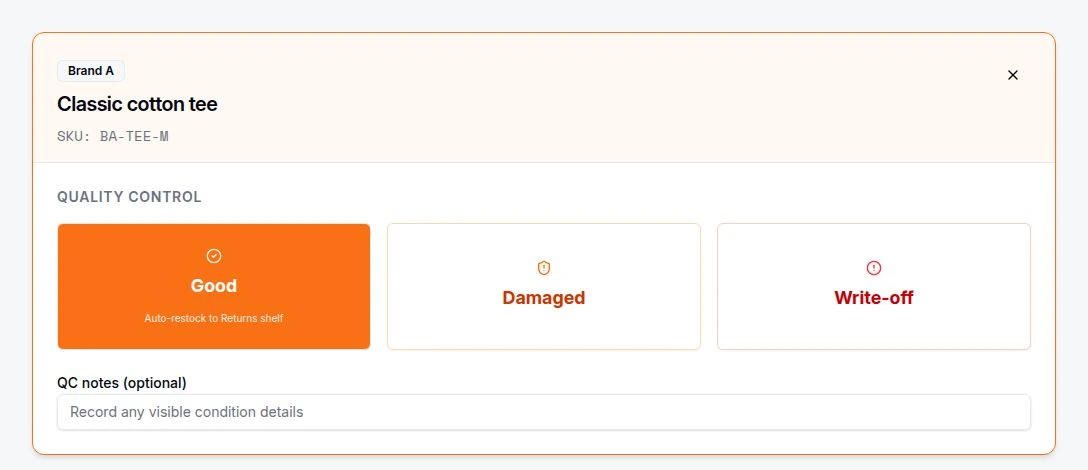
Returns
Receive, grade, and restock returns.
Start with an inbound parcel, including anonymous ones not yet assigned to a client. Confirm ownership, scan items and record QC condition and disposition. Verified good units follow a controlled restock path back to inventory.
- Anonymous intake before a parcel is assigned to a client
- Cross-client identification with explicit ownership confirmation
- Item-level barcode scanning, QC grading, disposition and evidence
- Unresolved parcels remain internal for investigation
Inventory
Work from inventory you can verify.
See on hand, available and committed stock per client, SKU and location, with its freshness state. Controlled adjustments and guided stocktakes record the reason, author and outcome, and pick bins show where to pick.
- Inventory by client, SKU and mapped warehouse location
- Freshness state shown with every inventory view
- Controlled +/− adjustments and guided stocktakes with an audit trail
- Stale data, deficits and mapping errors surfaced for staff to review
StoreFulfil Connect is available on the Shopify App Store.
Install the app from your Shopify admin, then link the store to your existing StoreFulfil warehouse account. Orders, inventory, fulfilment and returns are managed in the StoreFulfil warehouse platform.
- Add StoreFulfil Connect from the Shopify App Store.
- Link your store with a secure, one-time warehouse code.
- Choose the fulfilment location the connection should use.

App available on the Shopify App Store

Shopify Partner
StoreFulfil is a Shopify Partner organisation.
Integrations
Commerce channels, carriers and returns.
Commerce platforms




 BigCommerce
Carriers




 UPS
UPS
 USPS
USPS


ReturnZap
We partner with ReturnZap to provide native integration with its returns workflows. ReturnZap manages the customer-facing journey; expected-return details can help warehouse teams identify incoming parcels, while StoreFulfil records physical receipt and item-level checks.
Custom systems
Need a channel or carrier we have not listed?
We deliver tailored integrations for the channels, carriers and systems your clients use. We map the data flow, agree the scope and commercial terms, then build and test the connection with you.
- Which orders, stock or returns data must move
- How locations and client ownership are mapped
- What needs confirmation before any system is updated
How it works
Bring a client onto the warehouse floor.
Connect the client channel
Link the client sales channel and map the location whose orders your warehouse will handle. Shopify is the most established connection.
Work from the shared queue
Pick and pack with barcode checks, review holds and confirm dispatch. The next client joins with its own location and access boundaries.
Get a scoped price before you commit.
Your price reflects the number of client stores, operational volume, warehouse locations and agreed connection scope. Bespoke integration work is quoted separately.
Get started
See whether StoreFulfil fits your warehouse.
Tell us about your client stores, volumes, locations and current systems. We will review the fit and reply by email with the appropriate next step.
Existing client? Log in to your portal