Features / Wave picking
Wave picking software for a coordinated warehouse.
Bring eligible orders together into an organised picking workflow. StoreFulfil consolidates item requirements into sequential stops, shows the exact item and quantity required, and carries picked work into packing order by order.
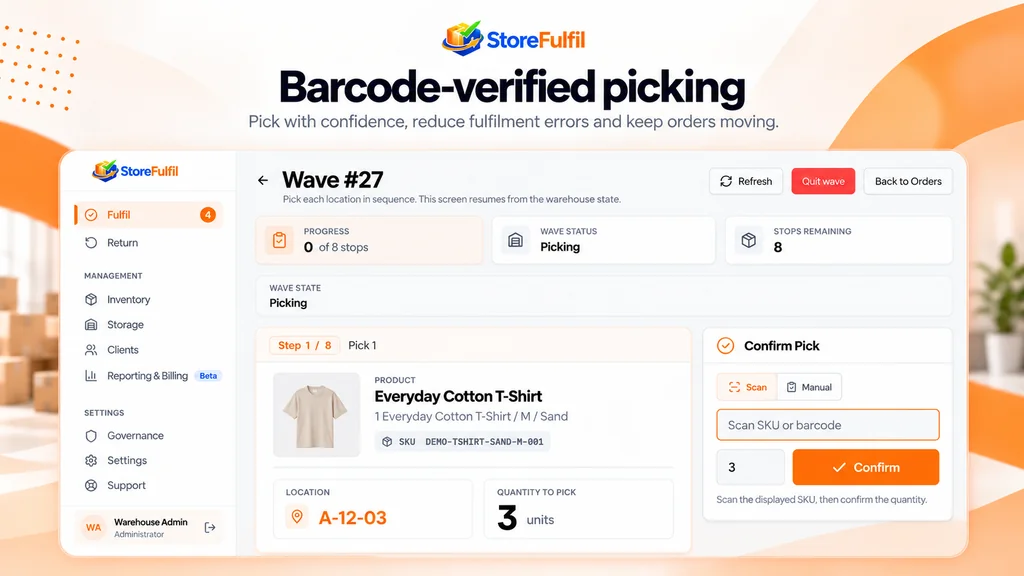
Wave workflow
A wave covers many orders without losing order accountability.
Staff get a clear sequence of stops. Managers see progress and exceptions. Completed picks continue into the normal packing and shipping process, so each order is still accounted for individually.
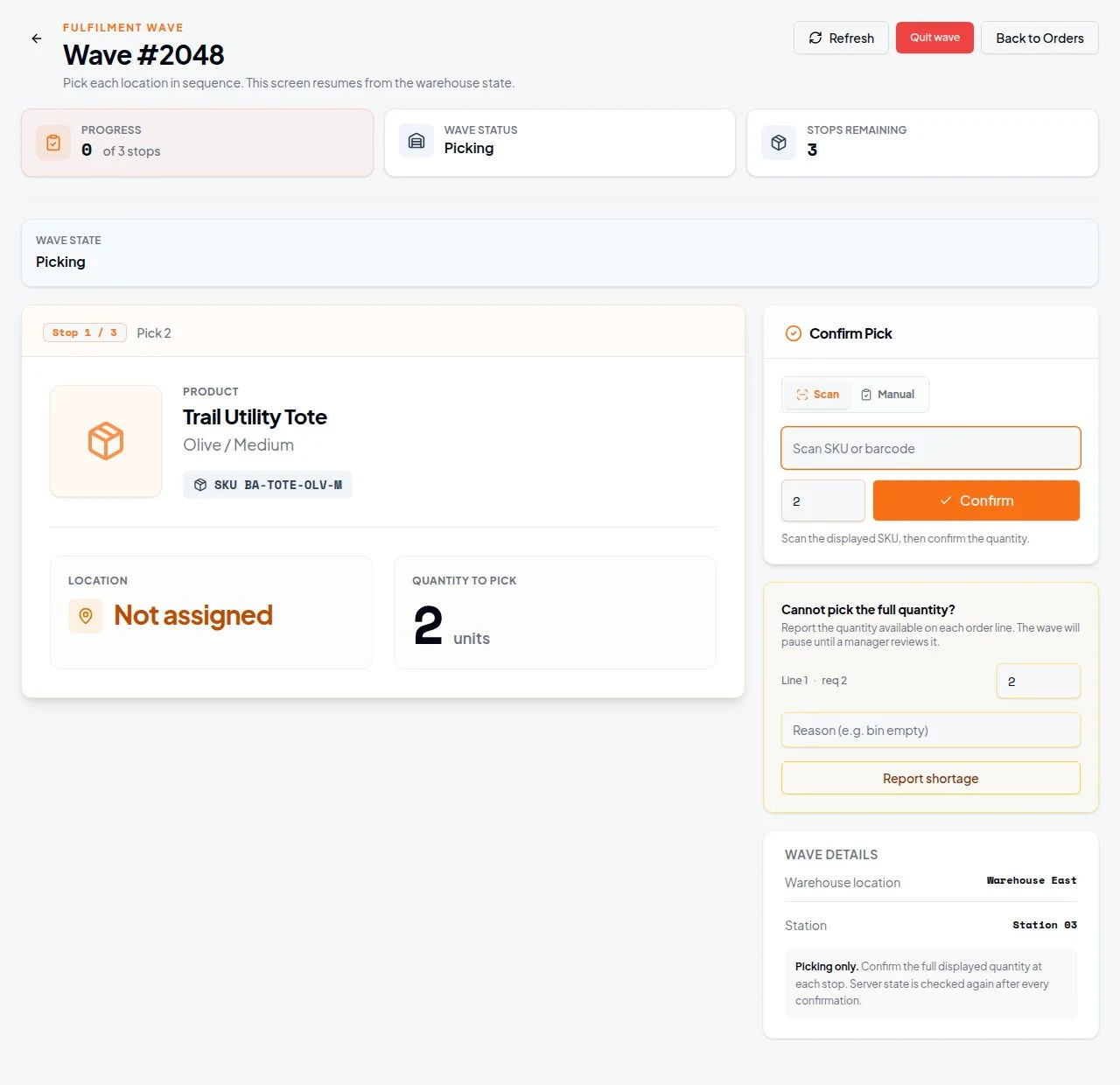
Each stop shows the item name, image, SKU, pick quantity and assigned internal location where available, so the picker knows exactly what to take.
- Group eligible warehouse-owned orders into a wave
- Consolidated pick requirements across overlapping items
- Live progress with remaining stops
- Scan to confirm, or deliberate manual confirmation
Workflow
From eligible orders to packed shipments
Create the wave
Group eligible warehouse-owned orders into a fulfilment batch for coordinated picking.
Work stop by stop
Follow one stop at a time, with product context, SKU, quantity and location.
Confirm or report
Scan the SKU or barcode while recording the quantity, or report a short pick with a reason for review.
Pack order by order
Picked items move into the normal shipment process, and completion follows accepted fulfilment.
Capabilities
Wave picking capabilities
Everything in the wave workflow, from creation to training practice.
Wave and batch creation
Group eligible warehouse-owned orders for coordinated picking.
Consolidated requirements
Bring overlapping item requirements together into practical warehouse work.
Sequential stops
Work through the wave one stop at a time.
Live wave progress
See confirmed progress, current wave state and remaining stops.
Product context at each stop
Item name, image, SKU, pick quantity and internal location where available.
Scan-to-confirm
Verify the relevant SKU or barcode while recording the picked quantity.
Manual confirmation path
Explicit manual verification where scanning is not possible.
Short-pick reporting
Capture a reduced quantity and reason for review instead of silently clearing the stop.
Recovery of interrupted waves
Return to supported incomplete work without losing track of ownership.
Sequential packing
Move picked items into the order-by-order shipment process.
Completion on accepted fulfilment
Completed warehouse dispatch is treated differently from merely printing a shipping label.
Training waves
Practise supported wave operations using isolated training work.
Buyer questions
What buyers ask about this
Does a wave replace single-order picking?
No. Single-order guided picking remains available. A wave groups eligible orders for coordinated picking and then continues into normal order-by-order packing.
What happens if stock is short at a stop?
The picker reports a reduced quantity with a reason for review. The missing goods are not treated as completed work.
Can an interrupted wave be resumed?
Yes. Supported incomplete waves can be recovered without losing track of ownership.
Is a wave complete when the label prints?
No. Completion is based on accepted fulfilment, not on printing a shipping label.
Can new staff practise waves?
Yes. Training wave workflows use isolated training work, separate from live orders and inventory.
Related features
Keep exploring
Barcode pick and pack
Verified quantities through picking and packing.
Order management
Ready, Processing, Waiting and Needs Attention queues with ownership.
Stocktakes and locations
Storage hierarchy, pick bins and client-scoped counts.
Training and support
Isolated practice workflows, Library guides and in-app support.
In the Library
Operating guides for this workflow
Watch a wave run from first stop to packing.
Tell us about your clients, channels and warehouse workflow. We will show the relevant workflow and scope any sales channel or carrier integration with you.
Book a Demo