Features / Order management
Fulfilment order management for every client.
Move from order overload to clear operational action. StoreFulfil organises fulfilment by state, checks readiness and makes claims, handoffs and exceptions visible as the warehouse progresses work.
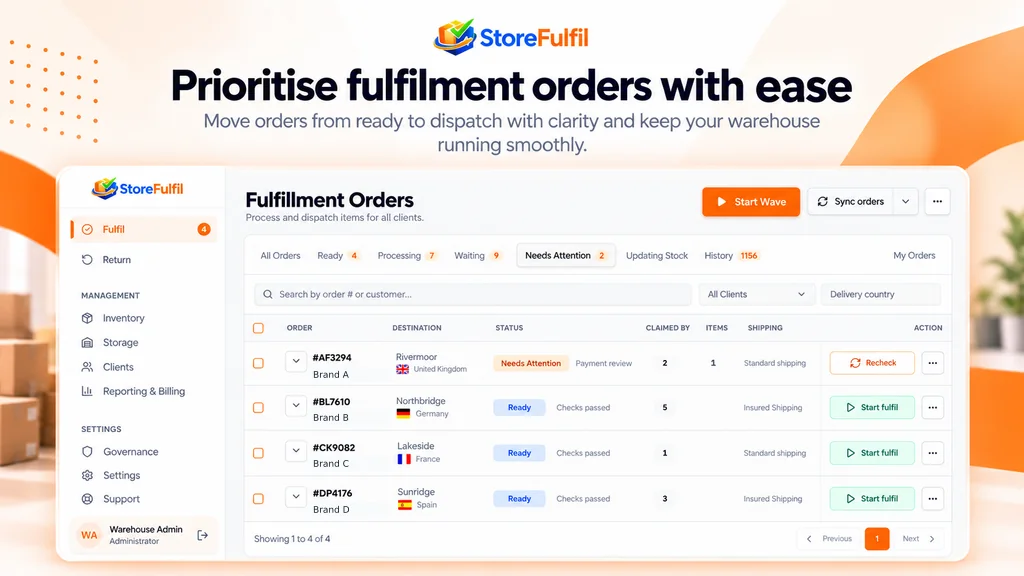
Queues by state
The queue separates work that can move from work that needs a decision.
Warehouse staff do not need to interpret every source order state manually. Ready work is distinguished from work that must wait, and exceptions have a dedicated place.
Claim an order to establish ownership while it is processed, and release or reassign it when the state permits.
- All Orders overview with Ready, Processing and Waiting
- Needs Attention for order and provider exceptions
- My Orders for assigned work
- Search by order, customer, client and delivery country
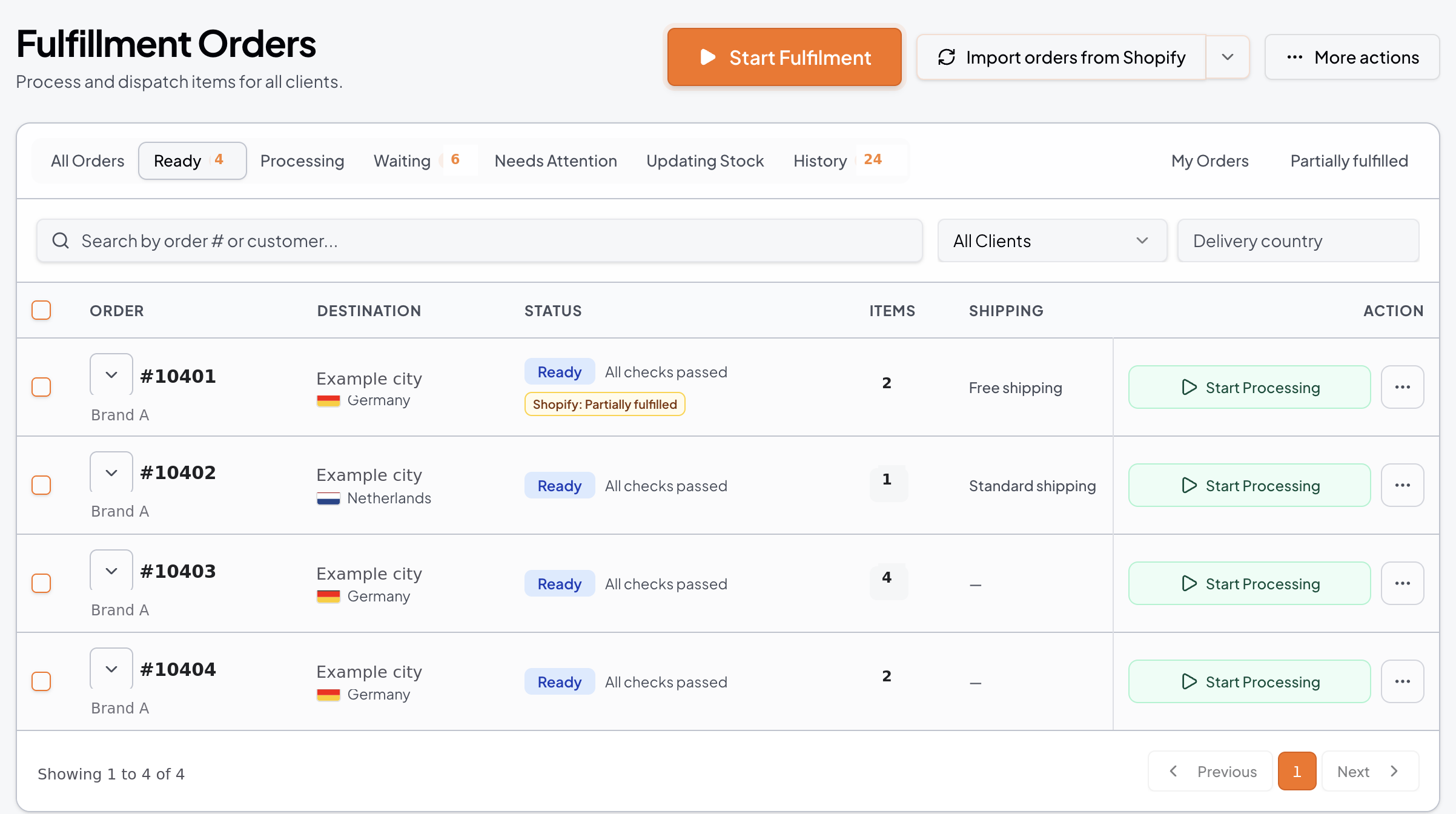
Workflow
From queue to controlled action
Find actionable work
Open the Ready tab, or search and filter by client and delivery country.
Claim ownership
Claim the order to process it, so colleagues can see who has it.
Pass preflight
Ownership, stock, source status and readiness conditions are re-evaluated before consequential actions.
Resolve exceptions
Flag issues, add notes and use authorised decisions with an activity history.
Capabilities
Order control capabilities
Queues, ownership, exceptions and file handoffs.
All Orders overview
A central warehouse queue for operational work.
Ready, Processing, Waiting
Separate actionable fulfilment from work that needs to wait.
Needs Attention
Review order and provider exceptions in one place.
Updating Stock and History
Visibility into stock-dependent states and completed or retained activity.
Search and filtering
Find work by order or customer details, client and delivery country where supported.
My Orders and claim-to-process
Workers find their assigned work and ownership is explicit during processing.
Controlled handoff
Release or reassign claims when the operational state permits.
Pre-fulfilment checks
Re-evaluate ownership, stock, source status and readiness before consequential actions.
Partial fulfilment awareness
Distinguish remaining work from quantities already completed.
External completion and cancellation
Keep non-actionable source events separate from current work.
Issue flags, notes and overrides
Record exceptions with history, plus authorised decisions and exact product identity repair.
Pick-list PDF and CSV export
Produce a picking document, and export selected or filtered order work for approved handoffs.
Tracking and dispatch CSV preview
Match external shipment information against known warehouse orders for reviewed confirmation.
Buyer questions
What buyers ask about this
Does every order in a merchant's store become warehouse work?
No. StoreFulfil surfaces fulfilment work assigned to the warehouse rather than treating every order across a merchant's store as warehouse work.
Can two people process the same order?
Claim-to-process establishes clear ownership during processing, and handoff is controlled.
Can I export orders?
Yes. Selected and filtered CSV exports are supported for approved operational handoffs, along with a pick-list PDF.
What if an order is cancelled at source?
External completion and cancellation events are kept separate from current actionable work.
Related features
Keep exploring
Barcode pick and pack
Verified quantities through picking and packing.
Wave picking
Consolidated picking stops with scan confirmation and order-by-order packing.
Shopify integration
Warehouse-owned Shopify fulfilment, inventory and returns in depth.
Reporting
Dashboards and usage reports with order and SKU detail.
In the Library
Operating guides for this workflow
Daily fulfilment queue
Library guide to working the queue each day.
Order status and ownership
Library reference for states and processing owners.
Needs Attention triage
Library guide to reviewing exceptions.
Blocked shipments
Library guide to orders that cannot progress.
Exceptions
Exceptions stay visible.
Needs Attention surfaces flagged orders and unresolved exceptions so the team can see them and act. Work waiting on other conditions remains in its relevant queue, including Waiting or Updating Stock.
See exception handling in a demo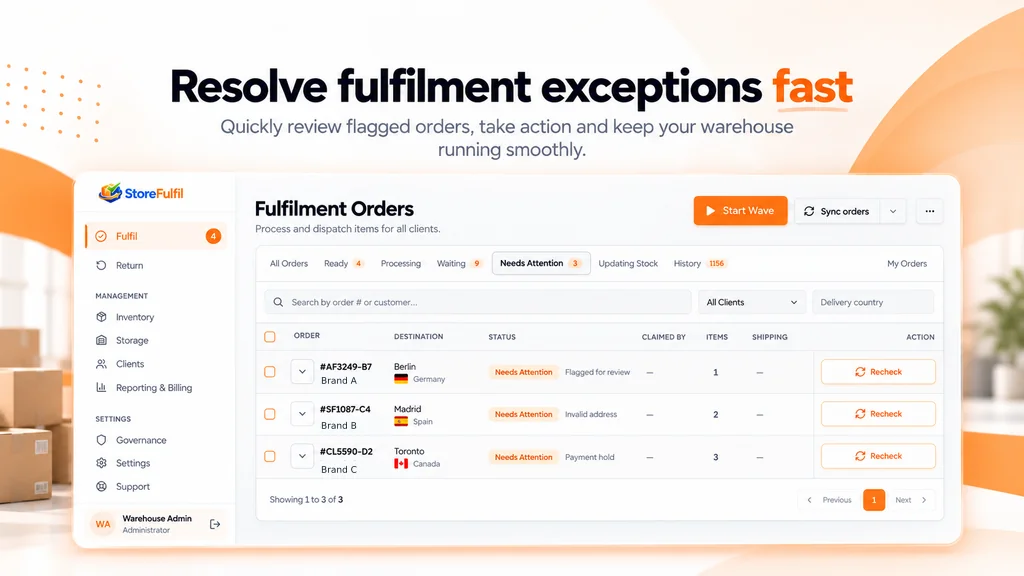
See the Ready, Waiting and Needs Attention queues live.
Tell us about your clients, channels and warehouse workflow. We will show the relevant workflow and scope any sales channel or carrier integration with you.
Book a Demo