Solutions · Inventory management
Warehouse inventory management across every client.
StoreFulfil provides stock visibility across clients, SKUs and mapped warehouse locations, with freshness shown, controlled adjustments and guided stocktakes. Connected sales channels receive supported inventory updates.
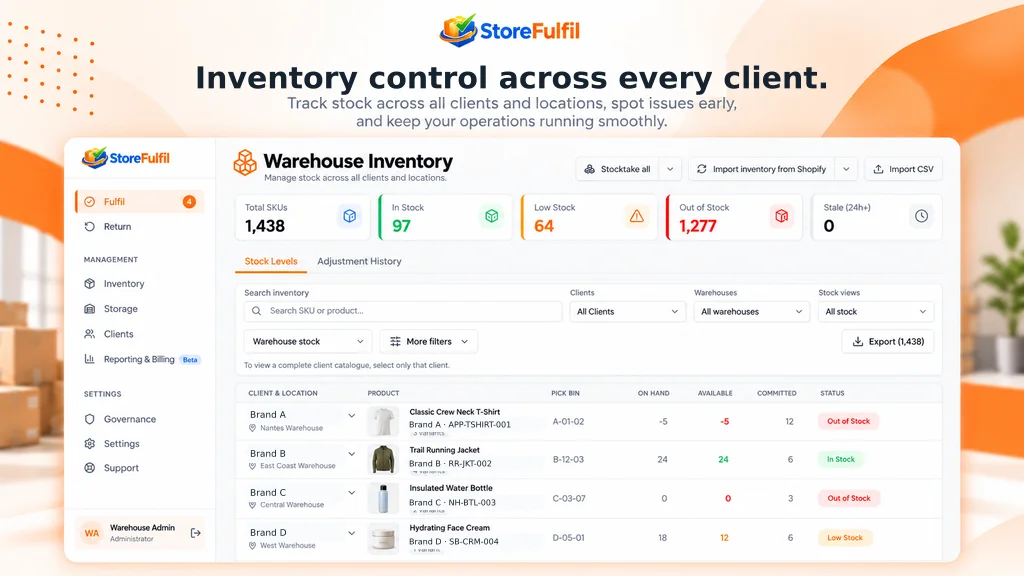
Visibility
Per client, per SKU, per warehouse location.
See inventory by client and SKU with freshness shown. Supported controlled warehouse actions update the connected sales channel.
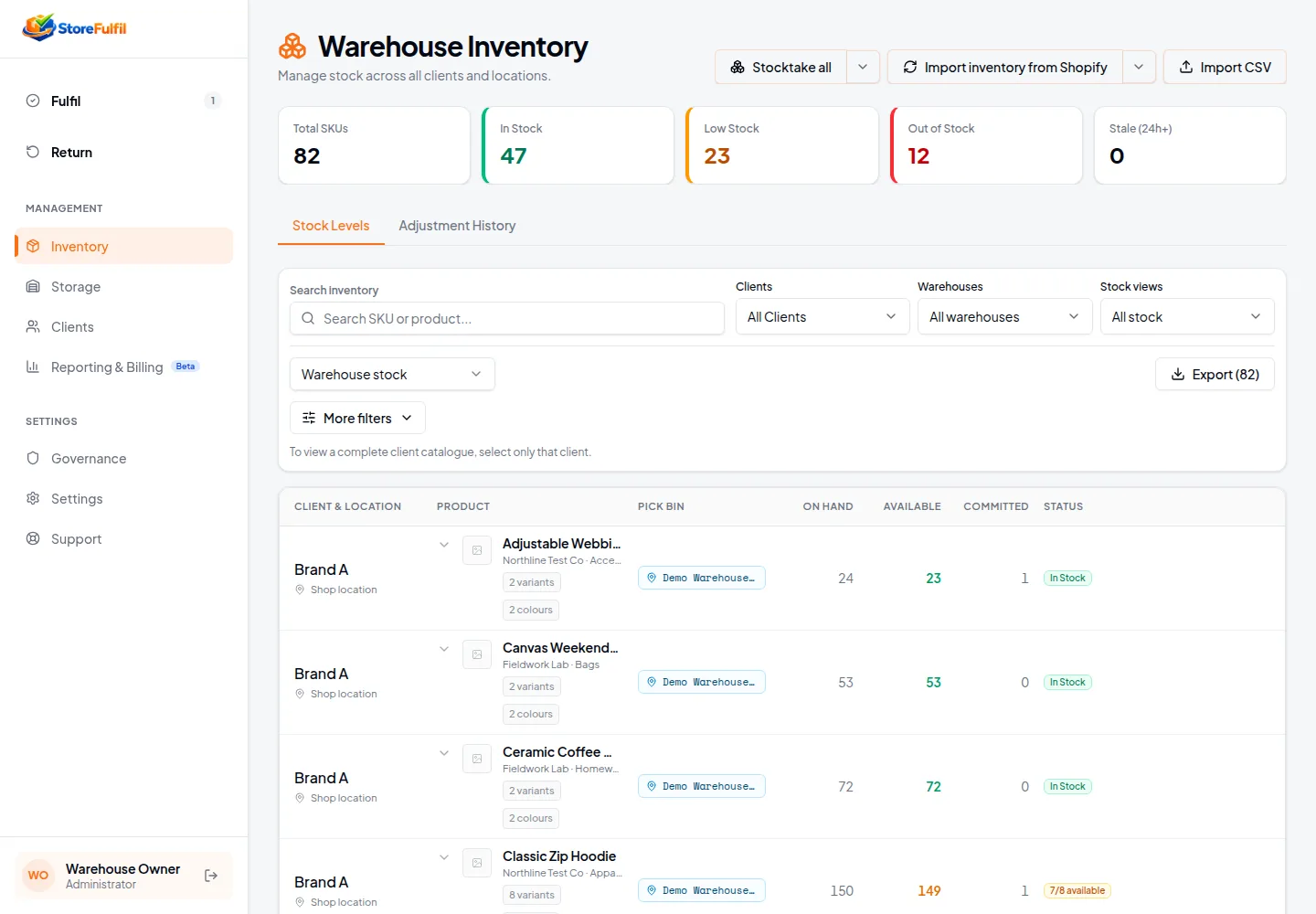
Control
Changes are deliberate, recorded and safe.
Controlled adjustments
Plus/minus adjustments are recorded with reason and author; supported updates are carried to the connected sales channel.
Verified restocks
Only units confirmed as good after warehouse inspection follow the controlled restock path at the correct location.
Failures surfaced
Permission gaps and write errors are surfaced for staff to review, so inventory counts stay trustworthy rather than silently wrong.
Related guide
How inventory is handled inside StoreFulfil.
Inventory depth
Stock figures connected to the operation that changes them
See what is on hand, available and committed before deciding what to fulfil.
On-hand, available and committed
Understand on-hand stock and the the quantities behind an order's real availability.
Shopify inventory synchronisation
Connect the warehouse stock view with supported Shopify inventory records, with other channels scoped with you.
Freshness visibility
Source update and stale-state information shown to the operator.
Stock-aware allocation
Eligible fulfilment against relevant stock and whole-order readiness rules.
Controlled corrections and history
Deliberate adjustments with a record of changes and reconciliation outcomes.
Inventory recovery
Review and reconcile uncertain stock-update outcomes.
Low and out-of-stock visibility
Find stock risks before routine fulfilment.
Filters and exports
Filter by client, warehouse, product, variant, vendor and quantity, and export CSV and PDF.
Related features